tabnemo Add to Chrome
New Tab Nemo 4 for Chrome

Every tab.
One keystroke.

Tab Nemo is the free tab manager for Chrome that turns a wall of 50 tabs into something you can use. Press Alt T, type a couple of letters, hit Enter. You’re there.

  • Free, no account
  • Nothing leaves your computer
  • Windows & Mac
  • 13 languages
Sound familiar?
48 tabs open.

And the one you need is in there somewhere. Chrome squeezes tabs until you can’t read them, eats memory, and loses everything when it crashes. Tab Nemo fixes all three.

A tab manager that keeps up with you

Find it, keep it, tidy it, focus.

Everything a Chrome tab manager should do, in one fast, keyboard-friendly place.

Search

Find any tab in one keystroke.

Press Alt T and start typing. Tab Nemo searches the titles and addresses of every tab in every window as you type, ranks the best match first, and jumps there on Enter.
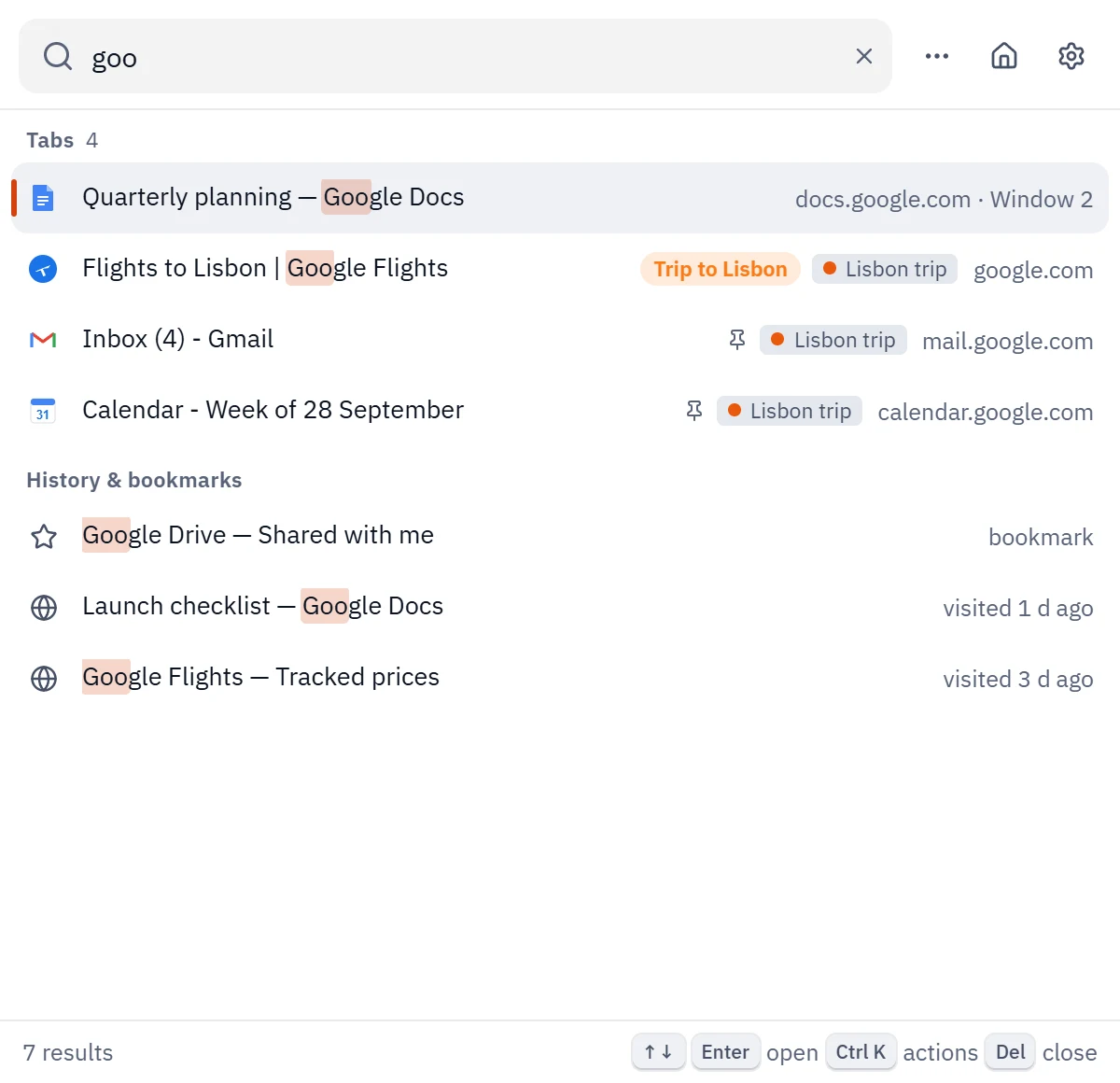
  • Also finds notes, projects, sessions and recently closed tabs
  • Turn on history and bookmarks search with one click
  • Close, move, group or save tabs right from the list
Tab Nemo search popup showing tabs, history and bookmarks matching “goo”
Rewind

Chrome crashed? Get every tab back.

Rewind quietly keeps a history of your windows on your computer. After a crash, an update or closing the wrong window, one click brings every tab back where it was.
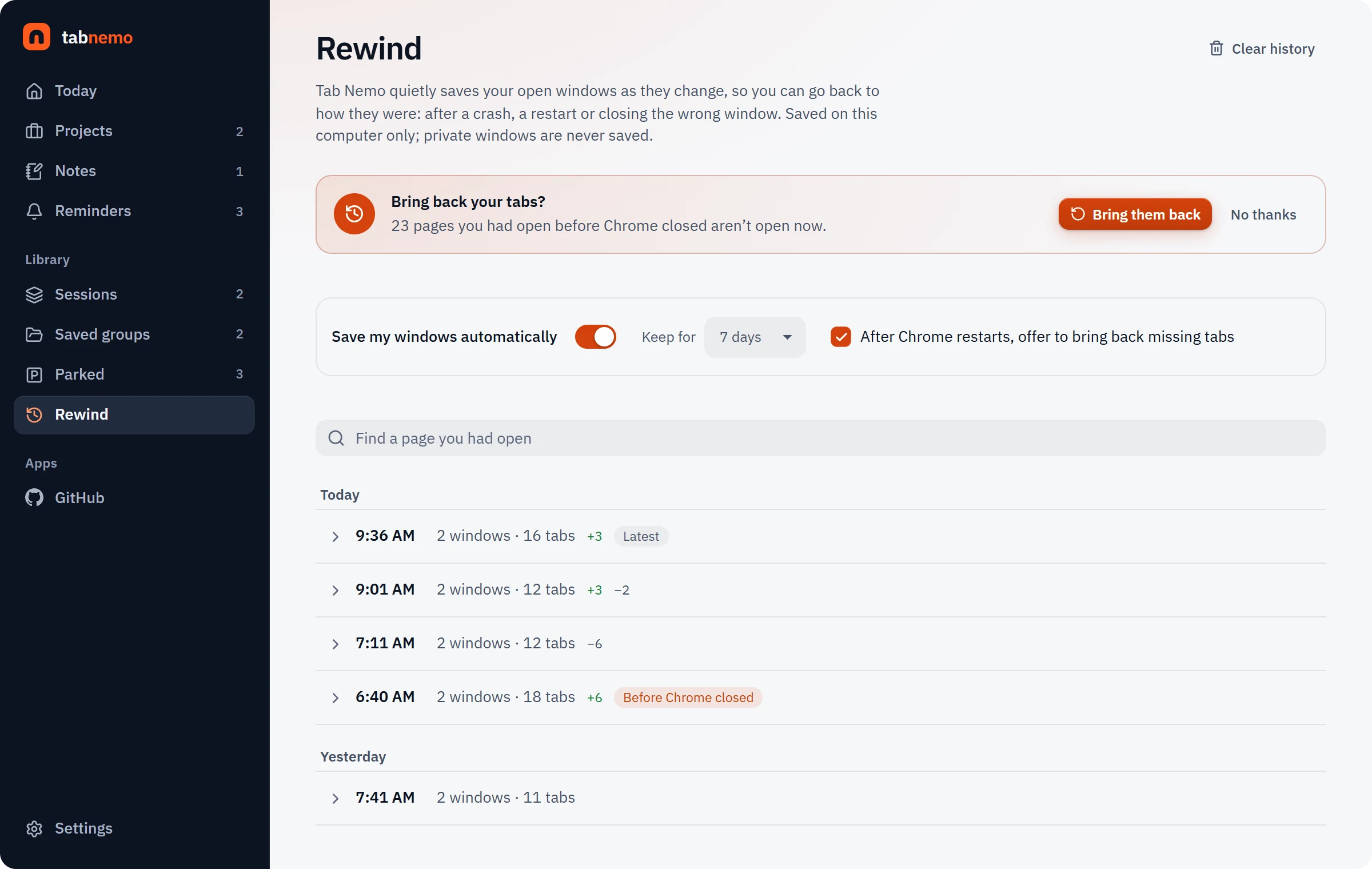
  • Offers to bring back missing tabs after Chrome restarts
  • Search any page you had open in the last days
  • Private windows are never saved
Tab Nemo Rewind page with a timeline of saved windows and a Bring them back button
Tidy

Tabs that group and sleep on their own.

Set a rule once and tabs sort themselves into Chrome tab groups. Tabs you aren’t using fall asleep to free memory, and week-old tabs can park themselves, one click from coming back.
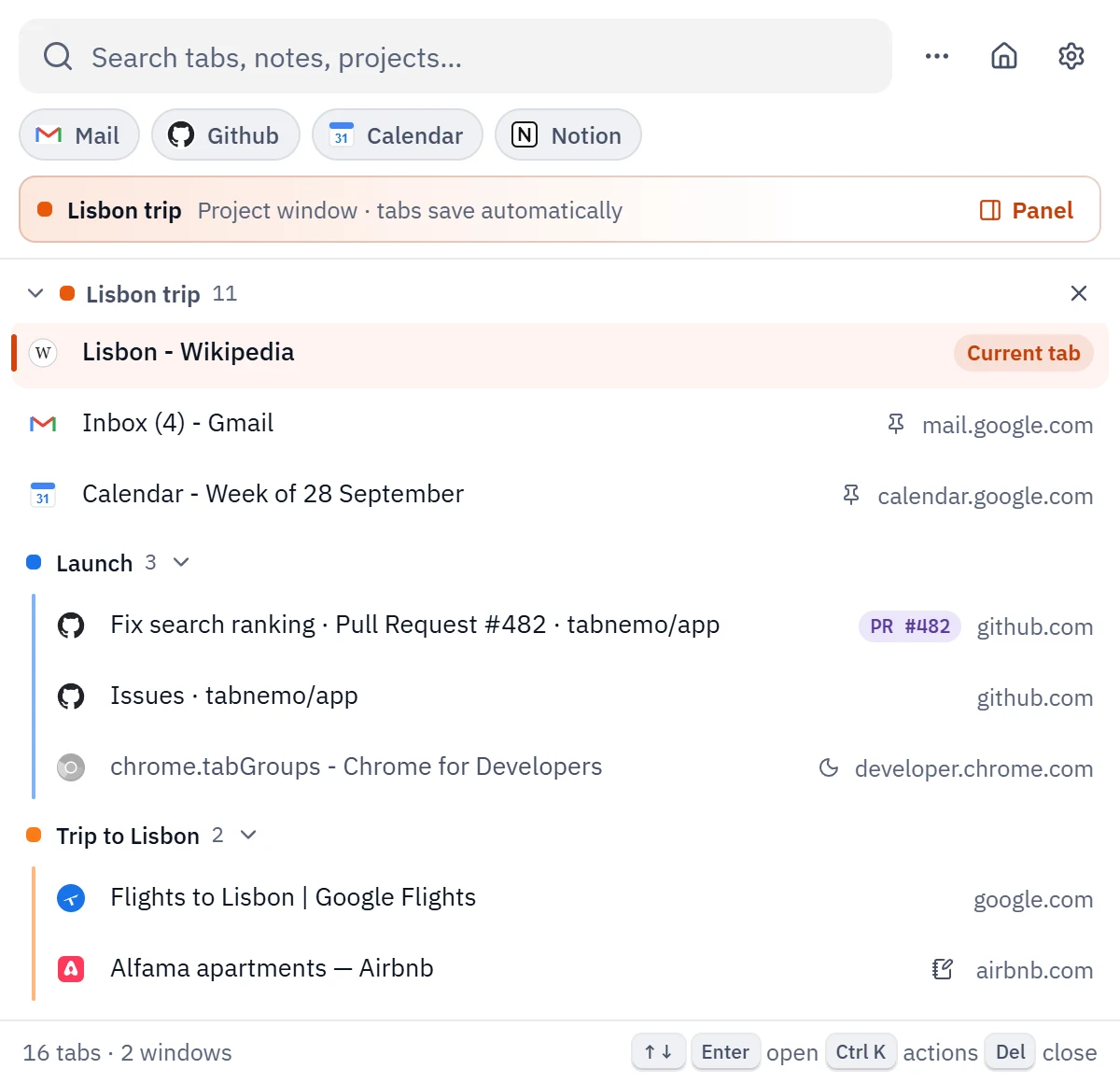
  • Group by site, keyword or project
  • Pinned tabs and tabs playing sound stay awake
  • Never breaks the groups you made yourself
Tab Nemo list of windows with color-coded tab groups and sleeping tabs
Focus

Close the rabbit holes.

Focus mode blocks the sites that pull you away, for a 25-minute sprint, on a weekly schedule or always. Instead of the feed, you see your own reminder of what you meant to do.
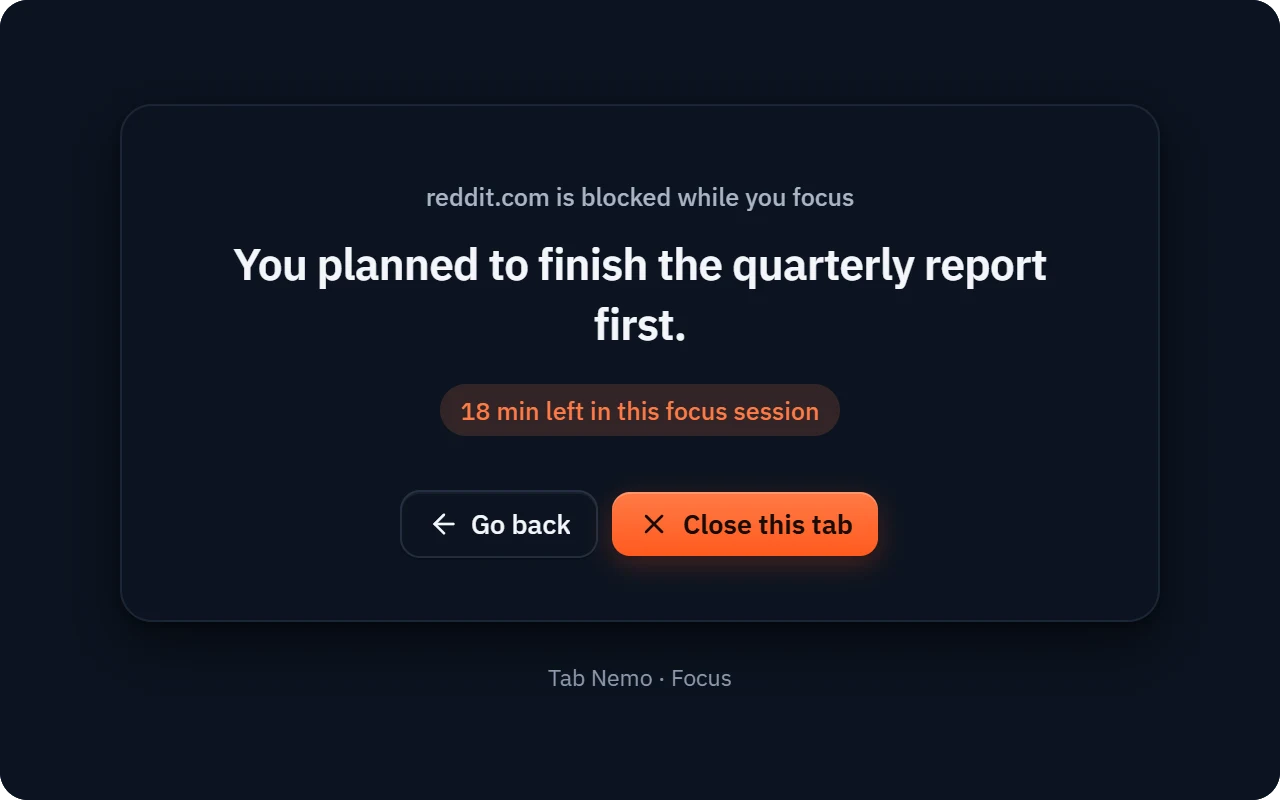
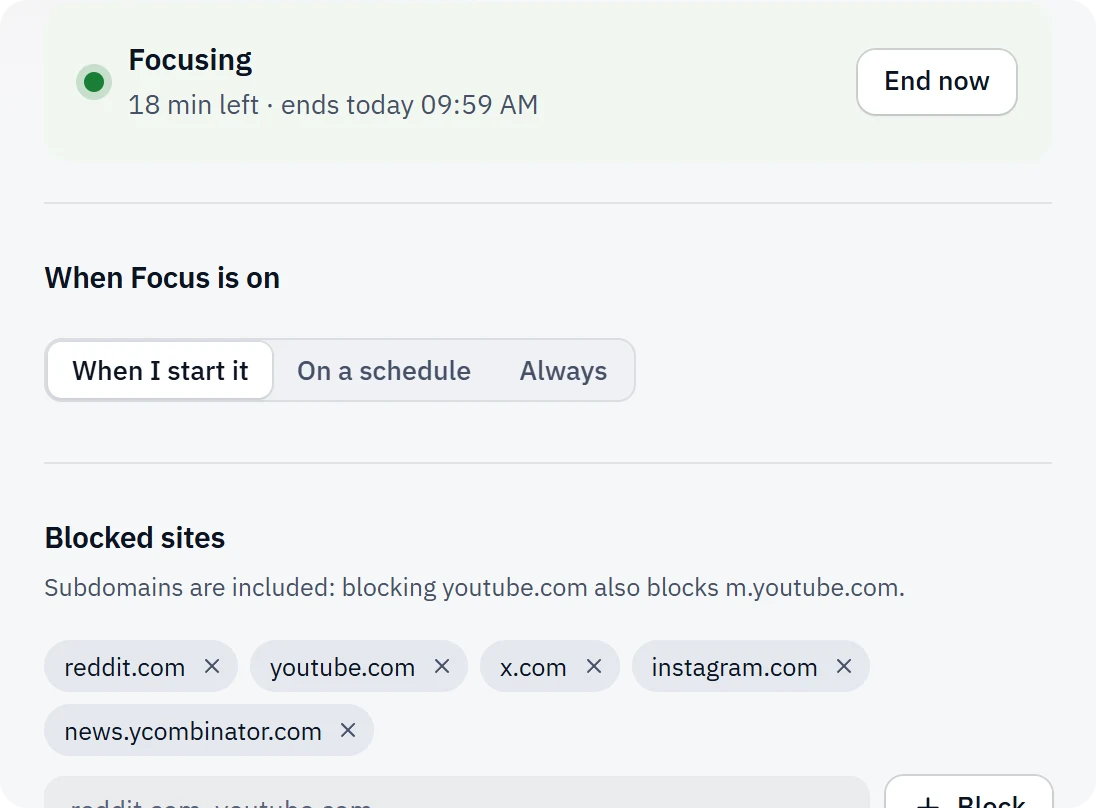
  • Block single sites or whole categories
  • Named blocklists you switch on together
  • Chrome does the blocking; nothing is uploaded
A blocked site showing the reminder “You planned to finish the quarterly report first.” Tab Nemo Focus settings with a session running and blocked sites
Home

Pick up right where you left off.

Projects keep each job in its own window, with its tabs, tasks and the time you spend on it. Notes and reminders come back right when you need them, and “Your week” shows how your tabs behaved.
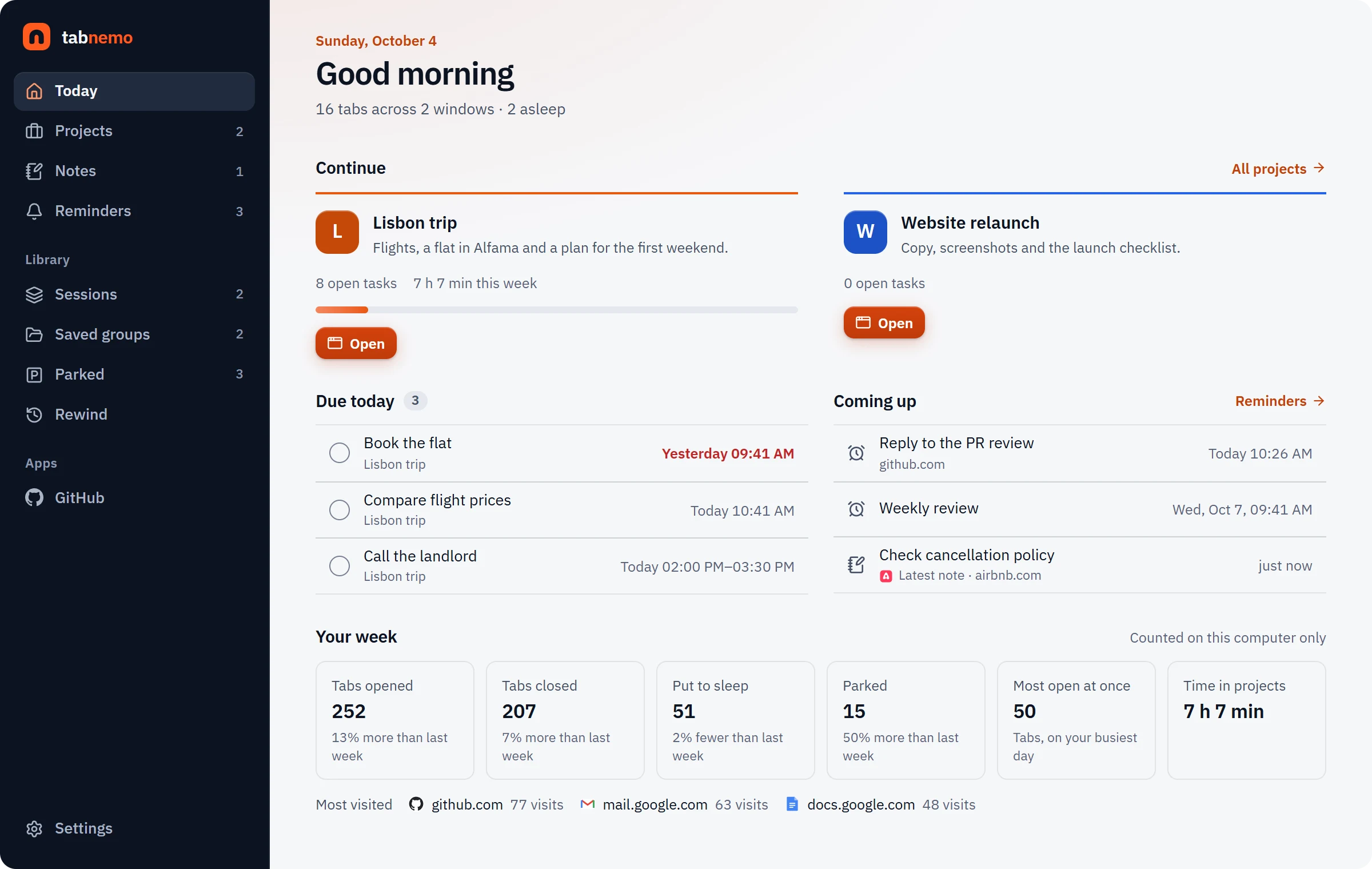
  • Projects reopen exactly as you left them
  • Notes that pop up again when you revisit a page
  • Reminders for any page, at any time
Tab Nemo Today page with projects, reminders and weekly tab statistics
And everything else

Small extension. Big list.

Instant search

Every tab in every window, plus notes, projects and saved tabs. Add history and bookmarks if you like.

Rewind

Chrome crashed or you closed the wrong window? Get every tab back in one click.

Auto-grouping

Tabs sort themselves into Chrome tab groups by site, keyword or project.

Auto-sleep

Tabs you aren’t using fall asleep and free up memory. Music keeps playing.

Park tabs

Put tabs away in one click and bring them back later. Optional: old tabs park themselves.

Sessions

Save a window and reopen it tomorrow, next week, whenever you need it.

Projects

One window per piece of work, with its tabs, tasks and the time you spend on it.

Focus mode

Block distracting sites for a sprint or on a weekly schedule.

Notes on pages

Pin a note to any page and see it again the next time you visit.

Reminders

“Remind me about this page tomorrow morning”, in two clicks.

Keyboard first

Open, search, close, move and group tabs without touching the mouse.

Automatic backups

Daily snapshots on your computer, plus an optional backup folder.

All features

Ready in a minute

Three steps to calm tabs.

Add it to Chrome

One click on the Chrome Web Store. No account, no sign-up, nothing to configure.

Press Alt T

Or click the icon. Choose popup, side panel or its own window.

Type and go

A couple of letters find any tab. Enter takes you there.

Switching is easy

Bring your tabs with you.

Import your saved tabs from another tab manager in a couple of clicks. You see what’s in the file before anything changes.

How to switch

Private by design

Your tabs never leave your computer.

No account. No servers. No tracking. Tab Nemo is built to be the tab manager you can trust with everything you have open.

Can’t read pages

It works with tab titles and addresses, never page content.

No servers

Everything is stored by Chrome on your computer.

No tracking

No analytics, no ads, no remote code.

Your backups

Daily snapshots and an optional folder you choose.

Questions

Frequently asked questions

Is Tab Nemo free?
Yes. Tab Nemo is free to install and use, with no account, no trial and no ads.
Can Tab Nemo read the pages I visit?
No. Tab Nemo works with tab titles and addresses, never with what’s on the page. Everything it keeps (notes, sessions, settings) is stored by Chrome on your computer and never sent anywhere. See the privacy policy.
How do I open it?
Click the Tab Nemo icon in Chrome’s toolbar or press Alt T (⌥ T on a Mac). You can also open it from any app with a global shortcut, or type tn in the address bar. It can open as a popup, in the side panel or in its own window.
Will it slow Chrome down with hundreds of tabs?
No. Tab Nemo is built to stay fast with more than 1,000 tabs open, and its auto-sleep puts tabs you aren’t using to sleep, which frees up memory.
Can I bring my tabs from another tab manager?
Yes. Export your data from the other extension, then open Tab Nemo’s Backup & data page and choose the file. You’ll see what’s inside before anything is imported. How to switch.
What happens if Chrome crashes or I close the wrong window?
Rewind keeps a history of your open windows on your computer. After a crash or restart Tab Nemo offers to bring back the tabs that went missing, and you can restore any earlier moment with one click.
Does it work on Mac, Windows, Linux and ChromeOS?
Yes, anywhere you use Google Chrome on a computer. Every shortcut has a Mac version.
Does it sync between computers?
Not by itself: nothing leaves your computer. Tab Nemo keeps daily backups for you, and you can also save copies to a folder you choose, for example one your cloud drive already syncs.
Which languages does it speak?
English, German, Spanish, French, Italian, Portuguese, Polish, Russian, Turkish, Indonesian, Arabic, Japanese and Chinese.

Your tabs, finally under control.

Free. Private. Ready in a minute. Press Alt+T and see.

Add to Chrome — it’s free